Using User Type in NSP, you can define different types of users and assign different roles and responsibility to each User Type. Also, you can define the access rights for the user fall under the specific user type category.
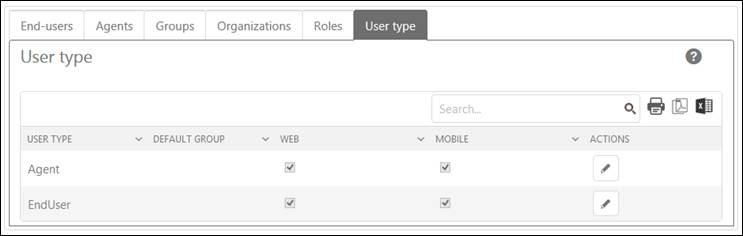
In this tab, there is a list of User Types created by the administrator earlier. You can edit any of the User Type in this list. Below figure shows the User Type list:
User Type
Each item in the list includes title of the User Type, Default Group, Web, Mobile and Actions. Web column contains a checkbox. If this checkbox is enabled, the user of this type can access the web portal. Same with the Mobile column, if the checkbox is enabled then the user of this type can access the Mobile application for NSP. Actions include an Edit button used to edit the selected User Type.