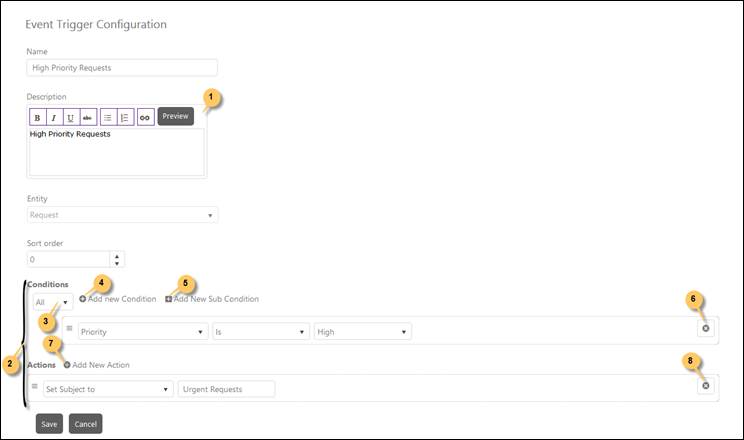
When you click Add new record button or Edit button for an already created trigger, the Event Trigger Configuration page will be displayed:
Event Trigger Configuration
Event Trigger Configuration page contains four fields: a dropdown list to select Ticket type, numeric text box to define Sort Order, a textbox for Name and an editor for Description.
Select Ticket type from the dropdown. This dropdown list contains base ticket types. As soon as you select Ticket type, additional fields gets displayed related to the selected type enabling you to add an Event Trigger.
Now, fill out the details in the form. These details contain Name, Description, Sort Order and Trigger Properties. Click Save button to save the trigger.
All fields and respective functions are similar to the fields described in Time Triggers, see Add Time Trigger.