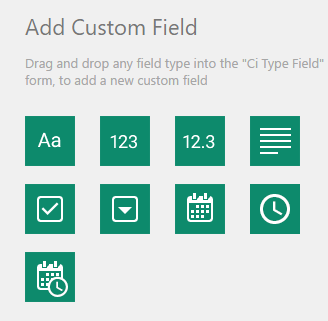
Add custom field
Besides default properties, custom properties can also be added to CI Type or subtype, by clicking Edit Properties button. Here, new fields can be added, with following types:
•Text
•Number
•Decimal number
•Checkbox
•Text area
•Dropdown
•Date picker
•Time picker
•DateTime picker
Forms for creating custom CI properties, working with drag and drop principle. User choose type of field he wants, and drag it to a property form. For every field you can insert custom name, width, field behavior (required or not), whether the property shows on info panel or not and also user can determine the position of the field.
Allowed options depending of property type are:
Text: Field width, Field Label, Default value. Behavior options: Mandatory field, Show in info panel.
Number: Field width, Field Label, Default value. Behavior options: Mandatory field, Show in info panel.
Decimal: Field width, Field Label, Precision, Default value. Behavior options: Mandatory field, Show in info panel.
Text area: Field width, Field Label, Default value. Behavior options: Mandatory field, Show in info panel.
Checkbox: Field width, Field Label, Behavior options: Mandatory field, Show in info panel.
Dropdown: Field width, Field Label, Dropdown Choices (Add new choices). Behavior options: Mandatory field, Show in info panel.
Date Picker: Field width, Field Label. Behavior options: Mandatory field, Show in info panel.
Time Picker: Field width, Field Label. Behavior options: Mandatory field, Show in info panel.
Date and Time Picker: Field width, Field Label. Behavior options: Mandatory field, Show in info panel.
All new fields, respectively properties can be deleted, while this is not possible for default ones.