Shows all attached CIs. It is possible to attach new CI by clicking on Attach CI button. Following form will appear:
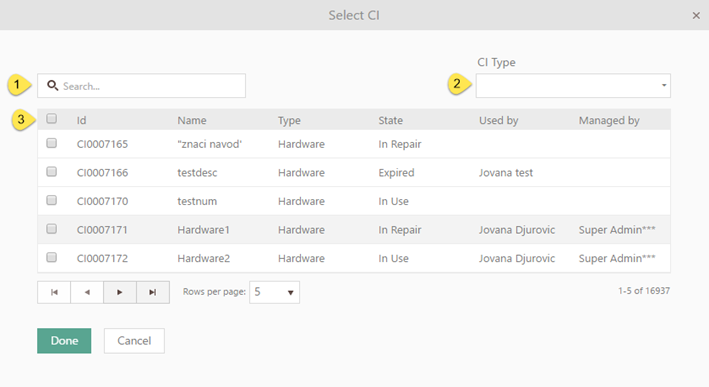
Select CI
CI can be searched by name (1) and/or be filtered by CI Type (2). Selecting a CI Type will filter the list, only showing the selected CI Type and sub types.
Select checkboxes (3) for CIs that should be attached. Click Done button, and selected Cis will appear in list of attached CIs.
To remove a CI, choose Remove button rightmost on row. If you want to remove more CIs at the same time, check checkboxes for all CIs you want to remove and click the button Remove, just above the list.
Features like search, sorting, ordering, paging and export are explained in General User Interface.