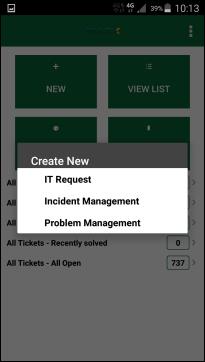
Action Menu in Dashboard
The content in Create New list is dynamic, available Types in the list is defined in web interface by Administrator. Each Ticket Type (e g Request, Incident, Problem, etc) can have several forms associated with it. You can tap on the particular Type to expand/collapse the form list for that type. Select form to be used for the new ticket.
Below is an example of a new Request form:
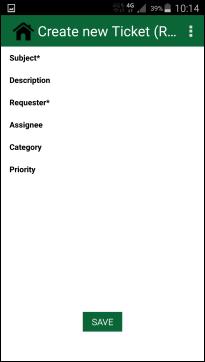
Create New Request
Tap each row in the form to open the particular field for input. Input field can have different behavior due to type of field, e g select from a list of users, priorities or categories, input a number or input text a text value.
Mandatory fields is marked with a star (*).
Tap Save button when at least all mandatory fields are filled with relevant data.