 is available in Entity Editor for
ticket entity types (entities based on Base Request entity).
is available in Entity Editor for
ticket entity types (entities based on Base Request entity). Ticket Subtypes button is available in Entity Editor for
ticket entity types (entities based on Base Request entity).
Ticket Subtypes are used to group entity forms in different ticket types. You can configure a different set of Subtypes for each ticket entity. Note that at least one subtype must exist for each ticket entity type. If not it is not possible to create forms.
When you click the Ticket Subtype Configuration button  , a form will be displayed where
subtypes for the selected entity is listed. In the form you can edit, delete,
activate/deactivate and add subtypes:
, a form will be displayed where
subtypes for the selected entity is listed. In the form you can edit, delete,
activate/deactivate and add subtypes:
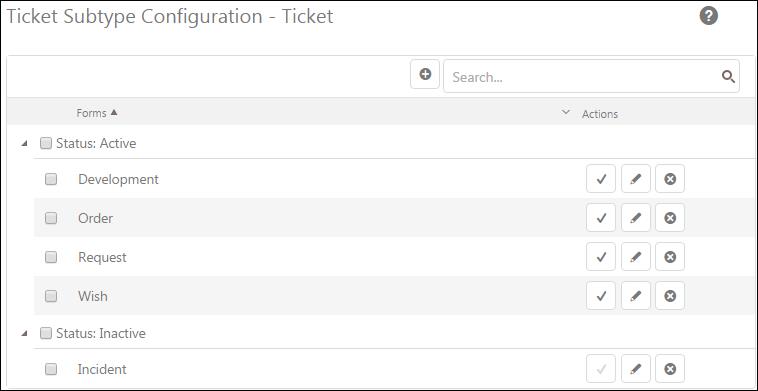
Ticket Subtype Configuration
The Ticket Subtype list contains the different subtypes already created. The list contains active types followed by inactive ones. Each item in this list has Action buttons:
 Activate: Used to activate or deactivate
the Ticket
Subtype.
Activate: Used to activate or deactivate
the Ticket
Subtype.
 Edit: Used to edit the Ticket Subtype. The
opened form is similar to the form used to add a new Ticket Subtype,
except the form is displayed in edit mode with already filled information.
Edit: Used to edit the Ticket Subtype. The
opened form is similar to the form used to add a new Ticket Subtype,
except the form is displayed in edit mode with already filled information.
 Delete: Used to delete subtype.