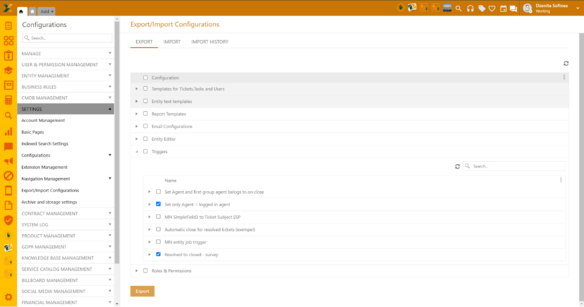
Configurations > Settings > Export/Import Configurations
This feature allows you to export and/or import NSP configurations.
There are 3 main sections/tabs:
•Export
•Import
•Import History.
Export
Here you can export your NSP configuration settings for the following sections:
•Templates for Tickets, Tasks and Users
•Entity text templates
•Report Templates
•Email Configurations
•Entity Editor
•Triggers
•Roles & Permissions.
All sections can be expanded further allowing you to select single or multiple forms, views or settings. Once selected, click Export and the zipped file will be downloaded to your computer. This file can be shared with other NSP users, allowing them to import the enclosed configuration.
Export configurations
Each file can be password protected. However, it is not mandatory. If you want to skip setting the password, click Save or Cancel.
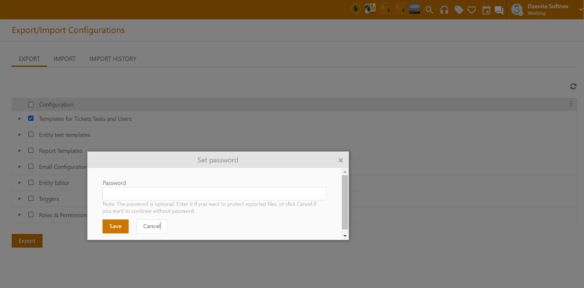
Password protection
Import
This section is organized in 3 steps:
1. Importing file
a. Select from target zipped files with configurations (previously exported from NSP)
2. Password
a. Enter password, if the file is password protected.
3. Configuration
a. All files to be imported are shown in this tab. Click finish to start the import.
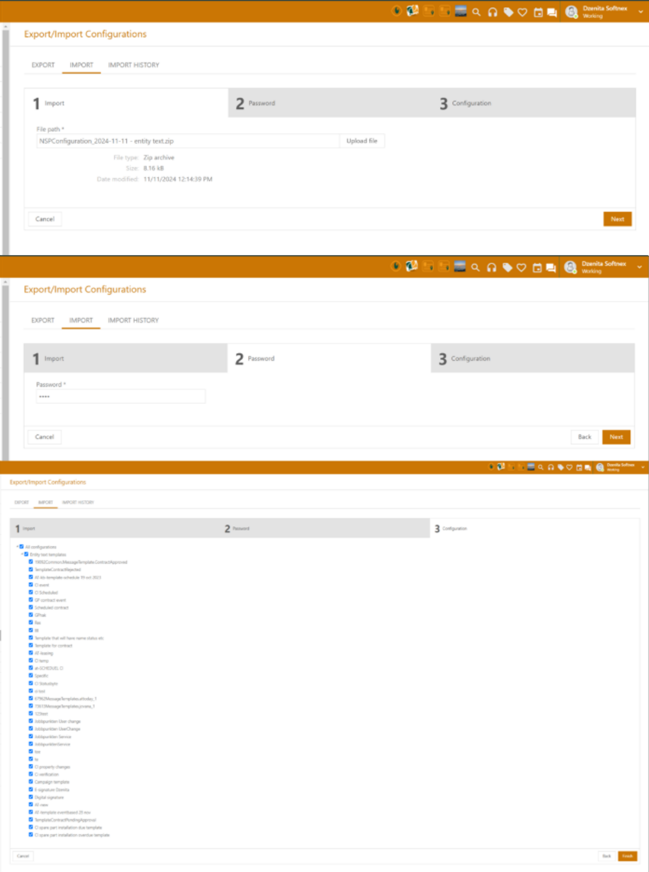
Import configurations
Import History
All imports are listed in this section containing the following information:
•File name
•Imported sections
•Import date
•Import status
o Statuses vary depending on the import phase – from Ready to import to Finished/Error. If successful, the status shall be Finished. If something went wrong, the status shall be Error.
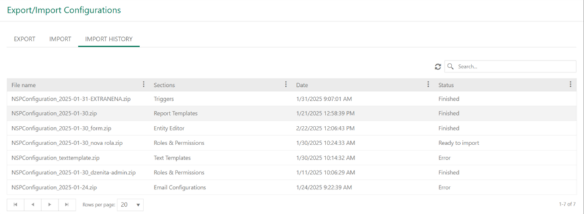
Import history