 Ticket
Archive
Ticket
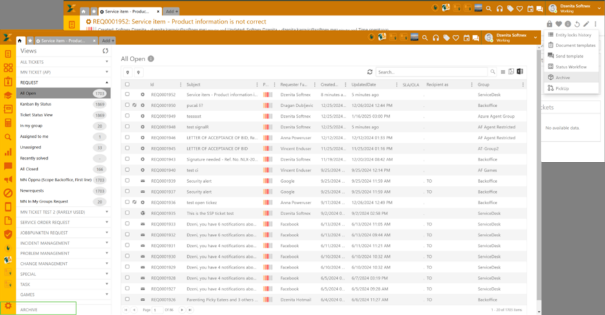
Archive Archive option enables archiving the tickets you no longer need in the active ticket view.
Two options are available:
1. Direct Archive ticket (from 3-dot menu on the right) - When used the ticket will be transferred to the folder ARCHIVE at the bottom of the Ticket Views section.
2. Mark ticket for archive (from actions above the grid) – When used, the ticket gets flagged for archive and you can then use Archive and storage settings within Configuration to either delete or archive them (See more details below).
Direct archive will directly create archive for that tickets and after successful creation of archive it will soft delete that ticket (set BaseStatus to -1) and mark that ticket for deletion (MarkedForDelete to true).
Ticket
Archive
All archived tickets are listed inside of this folder and can be downloaded or previewed.
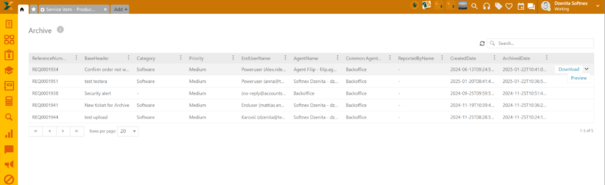 Ticket Archive:
List
Ticket Archive:
List
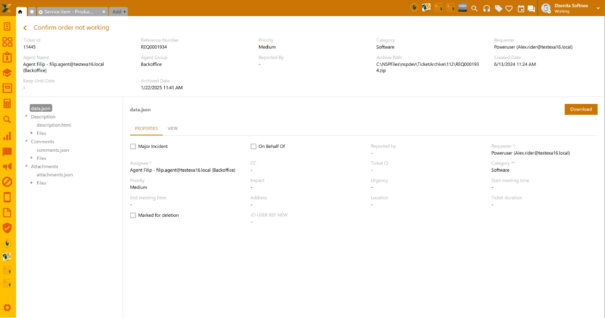
On preview, there is an overview of all ticket properties.
The header contains main information about the ticket, like ID, reference number, requester, assignee, etc.
On the left panel, there are:
•Data.json
•Description
•Comments
•Attachments
 Archive
Preview
Archive
Preview
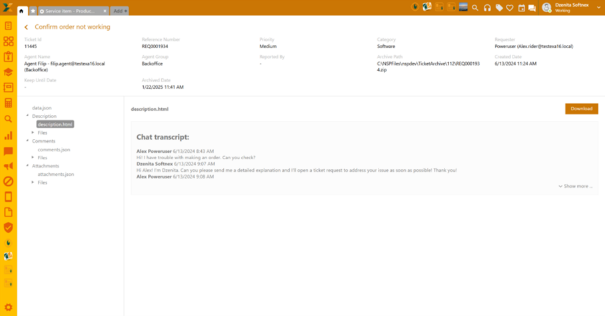
All sections are clickable and will provide further information about the ticket content, e.g., comments.
Each section can be downloaded to your local machine.